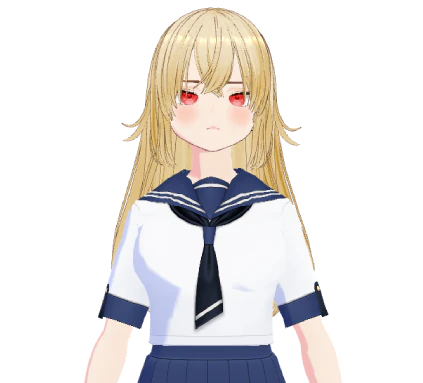
Mei
The yandereDevoted, very devoted, and written for laughs, with the occasional chill down your spine.

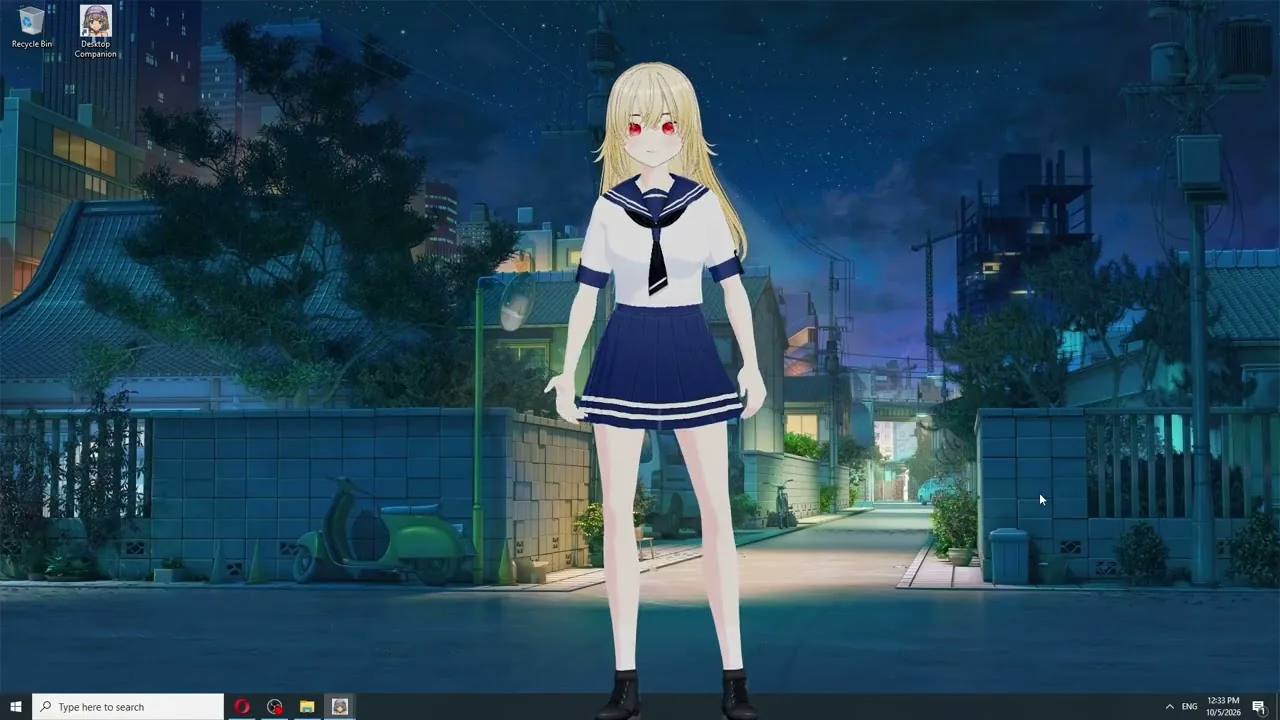
Desktop Companion puts a fully customizable anime character on your Windows desktop, on top of your other windows. It talks out loud (in Japanese with subtitles if you switch on anime mode), remembers what you told it, and looks at your screen when you ask. Nine VRM characters are ready to go, or bring your own. Local AI in both editions. On itch.io, use your own cloud key if you'd prefer.
One-time fee: $12.90. Early access, lifetime license.
Windows 10 and 11, 64-bit. For adults (18+). No adult content. Made by a solo developer in France.
Mei is the yandere: devoted, very devoted, and written for laughs, with the occasional chill down your spine. Iris is the tsundere: she'll tell you she doesn't care, then bring up the thing you said three days ago. Anna is the playful little sibling who pokes you when you've been staring at the same window for an hour. And six more: Alice the witty historian, Amelia the supportive friend, Lyra the creative muse, Rei the calm mentor, Marc the stoic coach, and Michael the gaming buddy. Each one comes with a look, a voice, and a personality, and each one keeps its memories on your PC.
Want someone else? Write the personality yourself: a senpai, a kuudere, the rival from the next class over. Pick a voice or clone one, then drop in a VRM model. Same app, both editions.
All nine are AI characters. The app doesn't pretend otherwise, and neither do we.
Devoted, very devoted, and written for laughs, with the occasional chill down your spine.
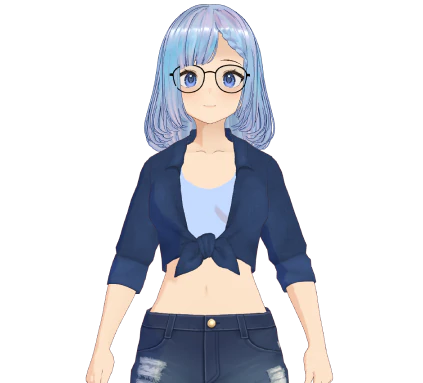
She'll tell you she doesn't care, then bring up the thing you said three days ago.
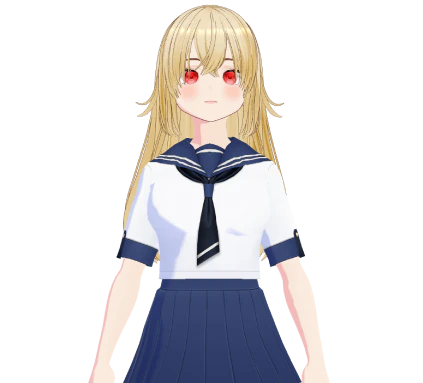
Pokes you when you've been staring at the same window for an hour.
Switch on anime mode and the character answers out loud in Japanese, with subtitles in your own language under the avatar. Follow every line without knowing a word of Japanese. Keep talking to it in English, French, or whichever of the app's eight languages you use. It works with every character, Live2D or VRM, in both editions, and the Japanese voice runs on your PC. No cloud service in the loop; nothing to subscribe to. Actually speak Japanese? Set the whole app to Japanese instead. It understands you and answers in Japanese.
Live2D gives you the classic anime look: a 2D character that breathes, blinks, and reacts as you talk. VRM characters are 3D. Drag them anywhere on the screen, make them big or small, or spin them around to check out the back of the outfit. You can bring your own VRM too, made in VRoid Studio or any other tool that exports VRM. Give it a personality and a voice, and it's part of the cast. Both editions.
Prefer it quiet? Park it at the edge of the screen as an anime desktop pet. It hangs out on top of your windows and responds when you talk.
An anime chat site lives in a tab: open it, type, close it. Desktop Companion stays on screen while you work, play, or watch something. It sits on top of your other windows and talks out loud instead of typing back. That changes what a character can be: Iris can see the game you're losing and say so, Mei remembers what you told her yesterday, and they're both still there when you come back to your desk. Everything else it can do, from reading your screen to writing a file for you, is on the home page.
Same characters, same Japanese voice, same Live2D and VRM models on both. Two differences, plus the PC you'll need to run them.
| Edition |
itch.io edition
|
Steam edition
|
|---|---|---|
| Anime mode: Japanese voice, subtitles in your language | Yes | Yes |
| Nine VRM characters, your own VRM | Yes | Yes |
| Cloud AI and cloud voices with your own key | Yes, if you want them | No: local only, no account or key needed. |
| Local moderation model, on top of the word filter | No | Yes |
| Price | One-time fee: $12.90. | $12.90 from October 15, 2026. 30% off for the first 14 days. |
| The PC you'll need | With a cloud key, a recent laptop is enough. For local AI, you'll need the same graphics card as Steam. | A graphics card with at least 8 GB of VRAM (12 to 16 GB to run everything locally), 16 GB of RAM, 30 GB free disk space, Windows 10 (1903 or later) or 11, 64-bit |
Anime mode is identical on both, so pick based on your PC; itch.io runs on more machines. Got the graphics card and want no cloud AI at all? Steam is for you.
If you mean an anime character on your desktop with a voice, a personality, and a memory of her own, yes. That's exactly what it is. If you mean adult content, no. Desktop Companion is for adults, but it stays clean. You get Mei, Iris, Anna, and six others, all VRM, with a Japanese voice and subtitles.
Yes, two ways. Anime mode makes any character, Live2D or VRM, answer out loud in Japanese, with subtitles in whichever of the app's eight languages you use. Japanese is one of those eight, so you can also set the whole app to Japanese and speak to it in Japanese.
Bring your own VRM model from VRoid Studio or any tool that exports VRM. Write its personality, pick or clone a voice, and it's ready to go. The nine built-in characters can be edited the same way. Both editions.
No. It's $12.90 once, on itch.io or on Steam from October 15. No subscription, and updates are included during early access. Local AI costs nothing per message. If you add a cloud provider with your own key on itch.io, that provider bills you, not us.
Choose one of the nine, switch on anime mode, and see who you end up talking to every day. On itch.io now; the 100% local edition lands on Steam on October 15.
Questions, press, or partnerships: about DokProd.